
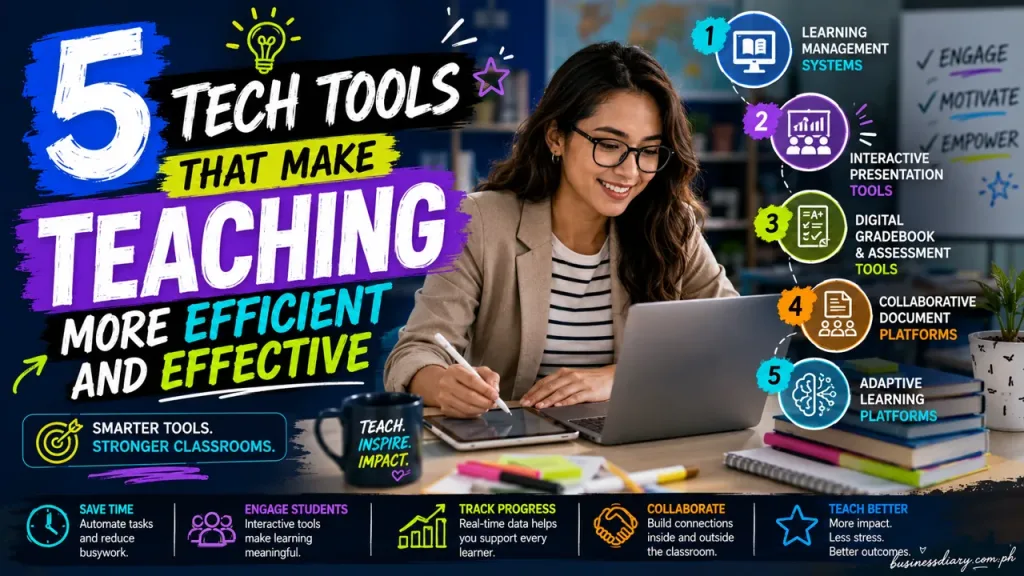
Faster grading. Students who actually stay engaged. None of it requires tacking extra hours onto an already packed day. Teachers have watched digital technology reshape how they manage time and run instruction — sometimes dramatically so. The right tools cut through administrative clutter, tailor learning to individual kids, and build real connections between people in a room. Five of them consistently help educators get more done without hitting a wall.
1. Learning Management Systems
An LMS is essentially your classroom’s home base. Syllabi, lessons, resources — everything lives in one spot kids can actually locate. Gone are the frantic late-night emails asking where to submit an assignment. Submissions come in automatically. Certain question types grade themselves. Feedback lands directly in front of students without a single sheet of paper moving anywhere. A high school English teacher can post discussion prompts, collect essays, drop annotated comments, and track completion rates without ever toggling between apps. Less inbox chaos. Less paper shuffling. More accountability — on both sides of the desk.
2. Interactive Presentation Tools
Static slideshows have run their course. Modern presentation software builds in polls, live quizzes, and real-time response features — tools that let teachers read the room the moment confusion sets in. Multimedia elements, animations, collaborative tasks — they flip passive listening into something students actually do rather than just endure. Most platforms include speaker notes and presenter views, which simplifies differentiation across grade levels considerably. Picture a middle school science teacher projecting an interactive molecular diagram, then pausing mid-lesson to run a quick poll: predict the next reaction. Students stay mentally active. The teacher gets immediate data on who’s keeping up and who’s quietly lost.
3. Digital Gradebook and Assessment Tools
Juggling grades across assignments, quizzes, projects, and exams gets exhausting. Fast. Digital gradebook platforms handle the heavy lifting — weighted category calculations, at-risk flags, parent-ready progress reports. Rubrics attach directly to assignments so expectations are transparent before students even begin. Many of these platforms sync cleanly with LMS systems, creating a workflow that runs from assignment creation all the way through final reporting without friction.
A math teacher can set homework at 20 percent, quizzes at 30 percent, exams at 50 percent — then step back while the software calculates everything in real time. Struggling students surface in the data before they fall too far behind. Standards-based charts break down class performance with enough granularity to actually mean something. That’s time reclaimed from manual number-crunching, time that goes back into instructional decisions that matter. And walking into a parent conference with current, accurate data? That conversation goes very differently.
4. Collaborative Document Platforms
Cloud-based document tools do something paper simply cannot. Students co-author essays, build group projects, and trade peer feedback inside a single shared file. Teachers drop in while work is still developing — leaving comments kids see immediately and can act on before the final draft is due. Revision history shows who contributed what. Group dynamics become visible rather than assumed. Learning doesn’t stop when the bell rings, either; these platforms work across devices, at school or at home. For schools needing tighter oversight of student activity across those devices, classroom management software gives teachers the visibility and controls to cut distractions and keep focus intact.
In a history class, small groups might each research a different event and co-write an analysis paper — with the teacher sliding in suggestions as drafts evolve. Writing skills sharpen. Group accountability builds. And because every edit is logged, assessing individual contributions becomes far less guesswork. Fair, accurate, documented.
5. Adaptive Learning Platforms
Not every student needs the same problem set. Adaptive platforms figure that out on their own — they assess what a student already knows, then adjust difficulty and content on the fly. Kids who’ve mastered a concept move ahead. Kids who haven’t get targeted support, aimed specifically at what they’re missing rather than a generic review. Teachers receive analytics breaking down mastery by concept, turning vague hunches into concrete next steps. An elementary reading program, for example, might shift text complexity based on comprehension patterns while simultaneously flagging which phonics skills specific students need to revisit. That level of precision is nearly impossible through whole-class instruction alone. It also means less time spent reteaching material kids already own.
Conclusion
Technology doesn’t automatically make teaching better. But the right tools — used deliberately — clear away the barriers that devour time and energy. LMS platforms keep course information centralized. Interactive presentation tools pull students into lessons rather than past them. Digital gradebooks slash administrative burden. Collaborative platforms make peer learning substantive instead of superficial. Adaptive systems personalize instruction at a scale no single teacher could manage manually. Free teachers from routine busywork and they spend that time where it actually counts: understanding their students, delivering real feedback, building a classroom worth being in. The key is choosing tools that fit your grade level, your subject, your actual teaching style — not just whatever’s generating buzz. Do that, and the payoff shows up in ways both you and your students will notice.