
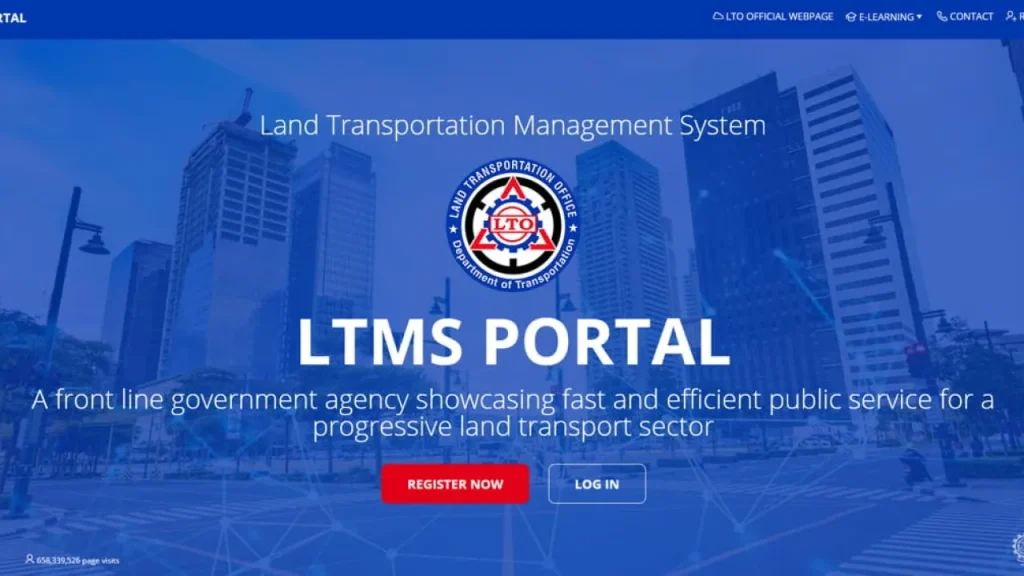
Gone are the days of spending half your day in line at the LTO. Thanks to the Land Transportation Management System (LTMS) — the official digital backbone of the Land Transportation Office (LTO) — Filipinos can now manage their road life from a smartphone.
In 2026, the LTMS is no longer just an “option”—it is the primary way the government interacts with motorists. Whether you’re renewing a license, checking violations, or registering a vehicle, this guide will ensure you navigate the portal like a pro.
What Exactly Is the LTO LTMS Portal?
The LTO LTMS Portal is a centralized platform that digitizes driver and vehicle records. By 2026, it has fully integrated with the eGovPH app, creating a “single source of truth” for your digital identity on the road.
With a verified LTMS account, you can:
- Renew Driver’s Licenses: Including 10-year validity licenses for those with zero demerits.
- Vehicle Linking: A new 2026 feature that allows you to “claim” your vehicle records and manage registration renewals online.
- Digital ID (e-DL): Access your legally valid electronic driver’s license.
- Settle Violations: Real-time checking and payment of fines to clear your record instantly.
- E-Learning: Access the mandatory Comprehensive Driver’s Education (CDE) materials and exams.
LTO Chief Assistant Secretary Markus V. Lacanilao recently emphasized: “The LTMS is your digital LTO office. Our 2026 goal is to eliminate paper-based transactions entirely, making ‘walk-ins’ a thing of the past.”
How to Register for an LTMS Account (2026 Updates)
If you haven’t registered yet, you are likely missing out on the e-DL (Electronic Driver’s License). Here is the updated process:
What You’ll Need:
- Valid Email & Mobile Number: For OTP (One-Time Password) verification.
- Biometrics: Your smartphone camera for face-matching (via eGovPH integration).
- Existing License (if any): To link your records immediately.
Step-by-Step Registration:
- Visit the Portal: Go to portal.lto.gov.ph.
- Enroll as an Individual: Select the “Register” button and agree to the latest data privacy terms.
- The “Linking” Step: If you have an existing license, input your license number. The system will now perform a Real-Time Database Match to pull your history.
- OTP Verification: Verify your identity via the code sent to your phone or email.
- Secure Your Account: Set a strong password and, if prompted, enable Biometric Login for easier future access.
2026 Troubleshooting: Common LTMS Issues
Even in 2026, tech can be tricky. Here’s how to fix common hurdles:
- “Vehicle Not Found”: Use the Vehicle Linking feature in the “Motor Vehicles” tab. You may need to upload a photo of your OR/CR if your dealer didn’t sync the record correctly.
- App Syncing (eGovPH vs. LTMS): If your license shows up in LTMS but not eGovPH, log out and log back in to the eGovPH app to refresh the API bridge.
- Invalid Transactable Error: This usually happens if you have an outstanding fine or an expired medical certificate. Clear these first!
Top Services You MUST Use in 2026
1. The 10-Year License Renewal
If you have zero demerit points, you are eligible for a 10-year license.
- Process: Pass the CDE Online Validation Exam (80% passing score), get your electronic medical exam, and pay via the portal.
- The Result: Your e-DL updates instantly in the app.
2. Vehicle Registration Renewal (Online Only)
You no longer need to wait for a sticker.
- Requirements: Online-linked Insurance (CTPL) and an LTO-accredited Private Motor Vehicle Inspection Center (PMVIC) result.
- Payment: Pay the MVUC fees directly via GCash, Maya, or Credit Card. Your digital Official Receipt (e-OR) is generated immediately.
3. Electronic Driver’s License (e-DL)
Per Memorandum Circular No. MVL-2026-4857, the digital license displayed via the LTMS portal or eGovPH app is 100% valid for traffic stops.
- Tip: Traffic enforcers now use QR scanners. Keep your phone charged!
4. Real-Time Violation Settlement
Don’t wait for a subpoena. If you are caught by No-Contact Apprehension or a physical enforcer, the violation appears in your “Violations” tab within minutes. Settle it immediately to avoid the 5-year license limitation.
Why You Need to Be “Portal-Ready” in 2026
The Philippine government is moving toward a “Mobile-First” policy.
- Priority Service: Drivers with verified LTMS accounts get faster processing at physical branches for biometrics or card printing.
- No More Fixers: The automated system tracks every transaction, ensuring you only pay the legal fees.
- Transparency: You can see exactly why your license was suspended or why your registration is pending.
Final Thoughts
The LTO LTMS Portal is the heart of modern Philippine motoring. In 2026, “skipping the line” isn’t a luxury—it’s a standard feature of your account. If you’re still carrying a folder of papers to the LTO, it’s time to go digital.
Ready to claim your digital license? Visit the LTO LTMS Portal today and take control of your road records.
References
LTO Official News: License Revocation and Enforcement Updates, April 2026.
LTO Memorandum Circular No. MVL-2026-4857 (Recognition of e-DL).
Department of Transportation (DOTr) Digital Progress Report, Q1 2026.