
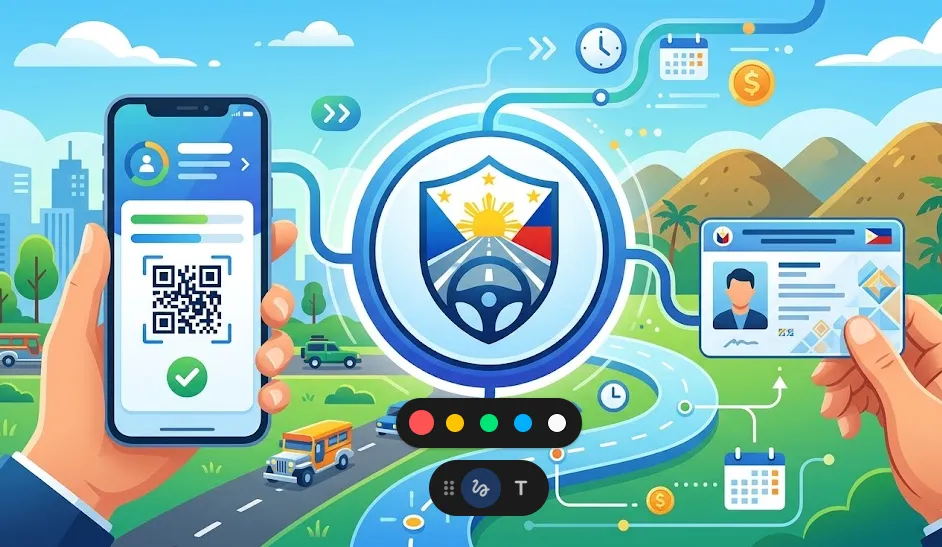
This comprehensive guide will walk you through everything you need to know to successfully renew your LTO driver’s license online in 2026. With the full integration of the LTMS Portal and the eGovPH Super App, the process is now faster and more “queue-free” than ever.
New to the LTMS Portal? Before starting, ensure you have an active account. Learn how to register using the LTMS Portal here.
What Is the Online Driver’s License Renewal System (ODLRS)?
The Online Driver’s License Renewal System (ODLRS) is the digital backbone of the Land Transportation Office (LTO). In 2026, this system is fully synced with the eGovPH app, allowing motorists to handle the entire renewal process—from the medical evaluation to the payment—without stepping foot in an LTO branch.
According to LTO Assistant Secretary Markus V. Lacanilao:
“Our goal for 2026 is a 100% digital transition. Motorists no longer need to endure long lines; your smartphone is now your digital LTO office.”
How to Renew Your Driver’s License via the eGovPH App (2026 Version)
The eGovPH app is now the primary gateway for all Philippine government services. Follow these updated steps to renew your license:
Step-by-Step Process:
- Open or Update the eGovPH AppEnsure you are using the latest version (v4.0+) available on the App Store or Google Play.
- Access LTO ServicesOn the dashboard, tap the NGA (National Government Agencies) icon. Select LTO from the list.
- Start Your ApplicationSelect Online Driver’s Application and then click Renew Driver’s License.
- Verification and BiometricsThe app will use your phone’s camera for a Face Match to verify your identity against the LTMS database.
- Review License DetailsYour current license info will auto-populate. Check for any required updates (e.g., change of address).
- Upload Documents & PaymentConfirm your electronic medical certificate (already uploaded by your clinic) and pay the fees via GCash, Maya, or Landbank.
Requirements for Renewal in 2026
To qualify for a 10-year validity license, you must have zero demerit points. If you have violations, your license will be limited to 5-year validity.
1. Online Medical Certificate
You must visit an LTO-accredited clinic for a physical exam. However, in 2026, you no longer carry a paper slip. The clinic will transmit your Electronic Medical Certificate directly to the LTMS/eGovPH system.
- Pro Tip: Look for clinics labeled “Online-Linked” for instant transmission.
2. Comprehensive Driver’s Education (CDE) Certificate
Before renewing, you must pass the CDE Online Validation Exam.
- Where: Access this via the LTMS Portal.
- Format: 25 questions.
- Passing Score: 80% (20/25).
- Cost: Free.
3. Payment of Fees
The standard renewal fee remains approximately ₱585.00 (excluding convenience fees for online payment and medical exam costs).
What Happens After You Submit?
Once your application is approved:
- Digital Driver’s License (e-License): Your digital license will instantly appear in your eGovPH Digital Wallet. Under Memorandum Circular No. MVL-2026-5042, this digital ID is legally equivalent to the plastic card for all traffic stops and identification purposes.
- Physical Card: You can choose Home Delivery (via integrated couriers in the app) or Pick-up at your preferred LTO District Office.
Key Benefits of Going Digital in 2026
- 10-Year Validity: Reward for disciplined drivers with no traffic violations.
- No “Fixers”: The automated system eliminates the need for middle-men.
- 24/7 Access: Apply at 2:00 AM from your living room.
- Eco-Friendly: Reduces the need for paper forms and physical travel.
Frequently Asked Questions (FAQs)
1. Is the e-license valid if I get pulled over?
Yes. Traffic enforcers are now equipped with digital scanners to verify your e-License via the eGovPH app.
2. Can I renew if I am currently working abroad (OFW)?
Yes! As long as you have your LTMS login and a valid Philippine mobile number for the eGovPH app, you can renew your license from anywhere in the world.
3. What if I have pending traffic violations?
You must settle all fines through the LTMS Portal before the “Renew” button becomes active in the app.
4. How long is the delivery for the physical card?
In Metro Manila, delivery usually takes 3–5 business days. For provincial areas, expect 7–10 business days.
Final Thoughts
The 2026 LTO renewal process proves that “Serbisyong Digital” is here to stay. By utilizing the eGovPH app and the LTMS portal, you save hours of time and contribute to a more organized, transparent transport system in the Philippines.
Is your license expiring this month? Don’t wait—log into the eGovPH app today and experience the most seamless renewal process in Southeast Asia.
Disclaimer: This guide is based on 2026 LTO regulations. Always ensure your eGovPH app is updated to the latest version for the newest features.