
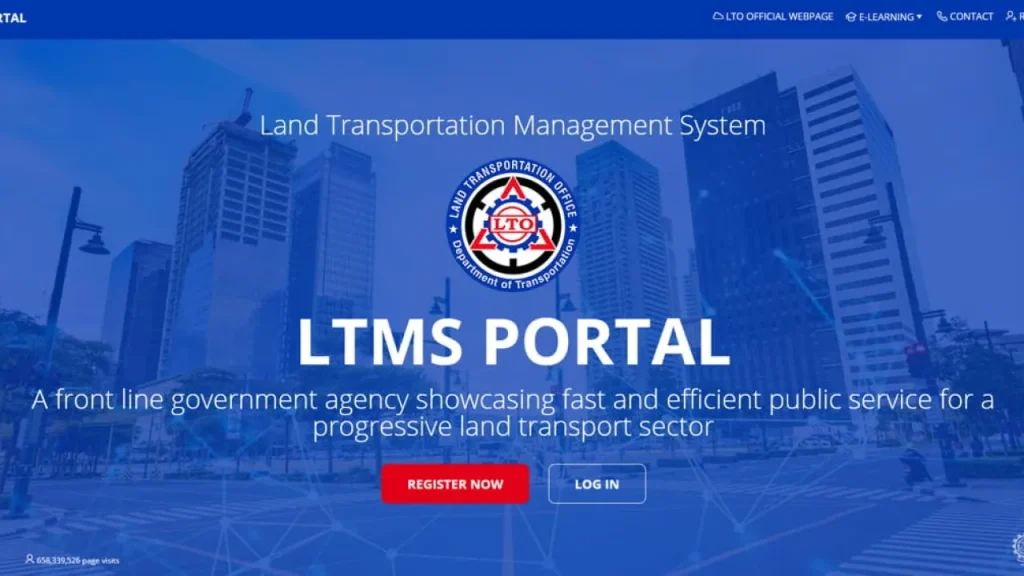
Your Guide to the LTO LTMS Portal: Fast, Easy, and Stress-Free
Gone are the days of spending half your day in line at the LTO. Thanks to the Land Transportation Management System (LTMS) — the official online platform of the Land Transportation Office (LTO) — Filipinos can now complete many transactions right from their phones or laptops.
Whether you’re renewing your driver’s license, checking violations, or registering your car, this all-in-one system makes everything simpler, faster, and more transparent. Here’s your updated guide to using the LTO LTMS portal and making the most out of its features.
What Exactly Is the LTO LTMS Portal?
The LTO LTMS Portal is the agency’s centralized digital platform designed to handle almost all driver and vehicle-related services online. It’s part of the government’s ongoing digital transformation effort to make services more efficient, transparent, and accessible for the public.
By creating a verified LTMS account, you can:
- Apply for or renew your driver’s license
- Register vehicles without long lines
- View and pay for traffic violations
- Access driving education materials
- Schedule appointments online
- Track transaction history and exam results
The system aims to reduce human error, improve record accuracy, and save you from unnecessary travel to LTO offices.
How to Register for an LTMS Account
Creating your own LTMS account is the first step to managing all your LTO transactions online.
What You’ll Need:
- A valid email address
- A working mobile number
- Stable internet connection
- One valid ID (Driver’s License, Student Permit, or Passport)
Step-by-Step Registration Guide:
- Visit the Official LTMS Website:
Go to https://portal.lto.gov.ph on your browser. - Click “Register Now.”
Select “Enroll as an Individual.” - Agree to Terms and Conditions.
Scroll down, tick the checkbox, then click Next. - Enter Your Details.
- If you already have a license, input your license number.
- If you’re new, choose “None” under LTO Client ID.
- Provide Your Email and Mobile Number.
You’ll receive a one-time password (OTP) for verification. - Verify Your Email.
Check your inbox (and spam folder if needed). Click the verification link. - Set a Strong Password.
Add your security questions for recovery purposes. - Complete Your Personal Profile.
Fill in your name, address, gender, and birthdate. - Submit and Save.
You’re done! You can now access all LTO LTMS online services.
Troubleshooting: Common LTMS Registration Problems
If you encounter errors during registration:
- No OTP received? Double-check your number or email.
- Page not loading? Try Google Chrome or Mozilla Firefox.
- Invalid license number? Ensure it hasn’t expired.
For persistent issues, email ltms@lto.gov.ph for support.
Top Services You Can Access via LTMS Portal
Here’s what you can now do inside your LTMS account:
1. Renew or Apply for a Driver’s License
You can renew your non-professional or professional driver’s license online after completing your Comprehensive Driver’s Education (CDE) test.
CDE certificates are automatically linked to your account after passing the online exam.
2. Vehicle Registration or Renewal
You’ll need:
- LTO Inspection Certificate
- Certificate of Emission Compliance (CEC)
- CTPL Insurance (Compulsory Third-Party Liability)
Steps:
- Click Motor Vehicle tab
- Input vehicle details (plate, engine, chassis)
- Upload required documents
- Pay online via GCash, Maya, or credit/debit card
- Wait for confirmation — your renewed registration will appear in your LTMS account
3. View and Pay Traffic Violations
The LTMS automatically logs violations linked to your plate or license.
Steps:
- Log in to your account
- Go to Violations
- View fines and details
- Click Settle to pay online
No more guessing or waiting for notices — you’ll see all your violations instantly.
4. Book Appointments Online
Avoid walk-ins by setting an appointment through the Appointments tab:
- Choose the service (license renewal, registration, etc.)
- Select your preferred LTO branch
- Pick a date and time
- Download your appointment slip
5. Take the Comprehensive Driver’s Education (CDE) Exam
Before renewing a driver’s license, passing the CDE exam is required.
Inside your LTMS account:
- Go to E-Learning
- Watch video modules
- Take the online exam
- Download your CDE certificate once you pass
This ensures that drivers stay informed on the latest road safety laws.
Benefits of Using the LTMS Portal
Using the portal saves more than just time — it also gives you control over your records.
Convenience: Manage all your transactions in one place.
Transparency: Check your history anytime.
Efficiency: Process requests faster, with fewer documents.
24/7 Access: No office hours or long queues.
The LTO reports that over 5 million Filipinos have registered for LTMS accounts — a number that continues to grow as the government expands digital services nationwide (Department of Transportation, 2025).
Tips for Smooth LTMS Use
- Use a stable internet connection.
- Always keep a digital copy of your receipts.
- Update your contact info regularly.
- Bookmark the LTMS portal on your browser.
Why Register Now
If you still haven’t registered, now’s the time to do it. The LTO is gradually integrating all major services into LTMS — meaning that in the near future, walk-in transactions will be limited.
Registering now ensures you’ll have early access to online license renewals, traffic violation history, and vehicle registration updates — all without leaving home.
Final Thoughts
The LTO LTMS Portal is more than just a website — it’s a step toward smarter, more transparent governance. It empowers every Filipino driver and vehicle owner to take control of their records and transactions in just a few clicks.
So, the next time you need to renew your license, check violations, or book an appointment — skip the line.
Just log in to your LTMS account and let technology do the work for you.
Ready to simplify your LTO experience?
Visit https://portal.lto.gov.ph today and create your LTMS account in minutes.
References
Department of Transportation. (2025, March). LTO expands digitalization efforts with LTMS Portal updates.
https://dotr.gov.ph
Land Transportation Office (LTO). (2025). LTMS Portal User Guide.
https://portal.lto.gov.ph
Philippine News Agency. (2024, December 12). LTO online system boosts service efficiency nationwide.
https://www.pna.gov.ph/articles/1213154
If you need need authorization letter for LTO LTMS visit https://wwwauthorizationletterph.com