
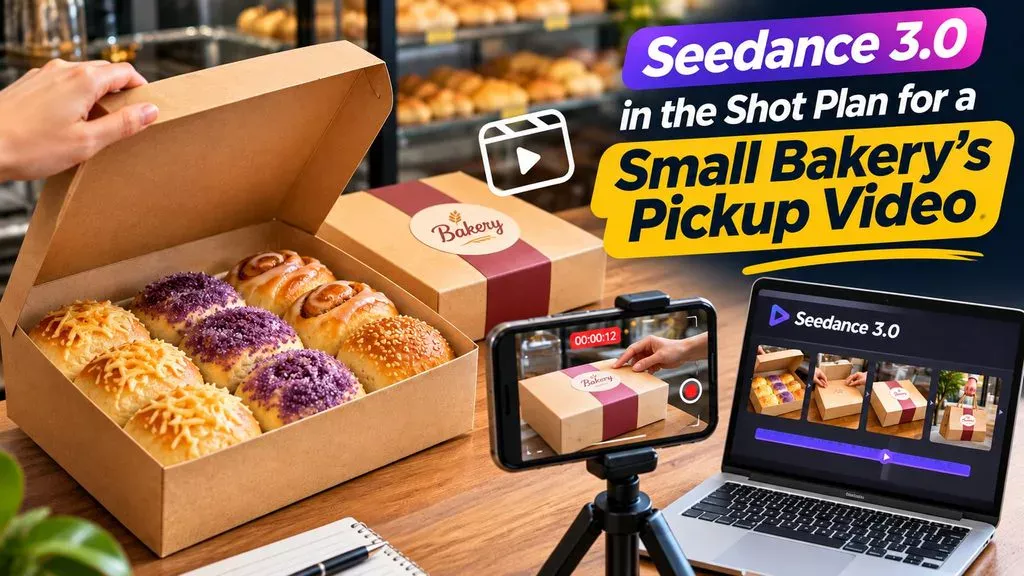
For a bakery taking weekend orders, a video can answer a question the menu leaves open. I’m imagining a small shop that sells assorted rolls for pickup. Its photographs show the flavours clearly, but the person ordering for an office still wants to know how the box is packed and how easy it is to carry. I’d make a short video that starts with the lid open and ends as the box leaves the counter. The useful detail is the movement from choosing the rolls to carrying them out.
The best place to try that idea is a corner of the counter that looks like the counter on a normal morning. I’d take one photograph of the box open at a slight angle and another of it closed, with the paper band in place. I can lay out the handles and the lid without working around an entire batch of fresh bread. From the first photograph I know roughly how much room there is for a hand on the right side of the frame. The second tells me where the band has to land.
Deciding where the hand enters
I want the first shot to show why the box works. There are rows of rolls with enough space between them that the toppings remain visible. For that opening move, Seedance 3.0 is where I can see how a short image-to-video draft reads before I put a camera above the counter. My instruction asks for the box to stay still while the camera moves diagonally towards one corner. I’d leave the lid at the edge of the shot so the next cut already has a reason to go there.
I’d compare that move with a second sketch made from text. The prompt describes a square cardboard box seen from a low angle across a wooden counter, a hand holding the lid half open, and the camera sliding a little to reveal the row in front. The movement gives me a different way to see the packaging than a straight view from above. I’d look for the angle at which the row at the back is visible without turning the shot into a display of the baker’s hands. If no low angle shows both rows, I can keep the higher view and cut sooner.
Testing a motion the team can repeat
The fiddliest part is folding the lid without knocking anything out of place. A fast drop makes it hard to see how the box closes and might look careless. I can ask a helper to film me folding a spare empty box. The phone stays still and the recording ends with the tabs lined up but still open. If I use reference video in Seedance 3.0, that simple recording shows the speed and direction of the hand. The product photos supply what the box and rolls look like. My text brief makes that split explicit so the plain rehearsal box doesn’t become the object on screen.
I’d try an audio reference at the same stage if I can hear the cardboard click distinctly. My recording would include the sound of the lid coming down, a small pause, and the faster slide of the band over the top. The interval is my main concern. If Seedance 3.0 puts all the movement together in a rush, I’d divide the shot into two generates or test them as separate beats in the edit. I want the closure to have a visible end before the band appears. A lid changing shape under the fingertips makes people look at the wrong thing.
Cutting a confusing first draft down to size
The likely trouble in the first cut is what happens at the front of the box. When the band slides into place it can cover a label, and a moving hand can hide the corner that shows how the two pieces of cardboard meet. I’d freeze the clip on the first frame where I can see the whole band. Then I’d check how long that frame stays clear. In my next pass through Seedance 3.0 I’d ask for the hand to move to the far side of the box before it lets go. A smaller change like that gives me something I can reproduce when the real food is ready.
I’d keep the sound simple in the final edit. The tap of the box reaching the counter is a good point to start the last shot. The sound of an actual bag opening could help if the store normally uses bags. If customers carry the box by hand, I’d end with the person lifting it from underneath, just as the staff show people at pickup. These are details I want to obtain from the bakery. There’s no need to invent an easier-looking way to carry the box if it might give customers the wrong impression.
What goes in the version customers see
Once the take works in Seedance 3.0, I’d bring the shot list to the bakery with two stills that show where the camera starts and stops. I’d film the actual rolls the shop is selling that week, alongside the real box and band. The generated draft lets me decide where to leave empty space so the editor can put the pickup details over the shot. In the finished video I’d type that information in the editing software and verify it against the order page. It takes very little room to show the pickup day and how to place an order if the picture behind the words is fairly still.
I’d deliver a short vertical cut for social posts and a wide version for the bakery’s order page. The first frame I choose for both is the open box, since that tells a shopper where they are before a single word appears. I’d check the finished video beside the menu photos and play it with sound turned off. Using Seedance 3.0 in the draft stage helps me find the few movements worth filming. The final cut succeeds if a person can see the rolls, understand how they’re packed, and know what they’ll be able to carry out of the shop on Saturday.