
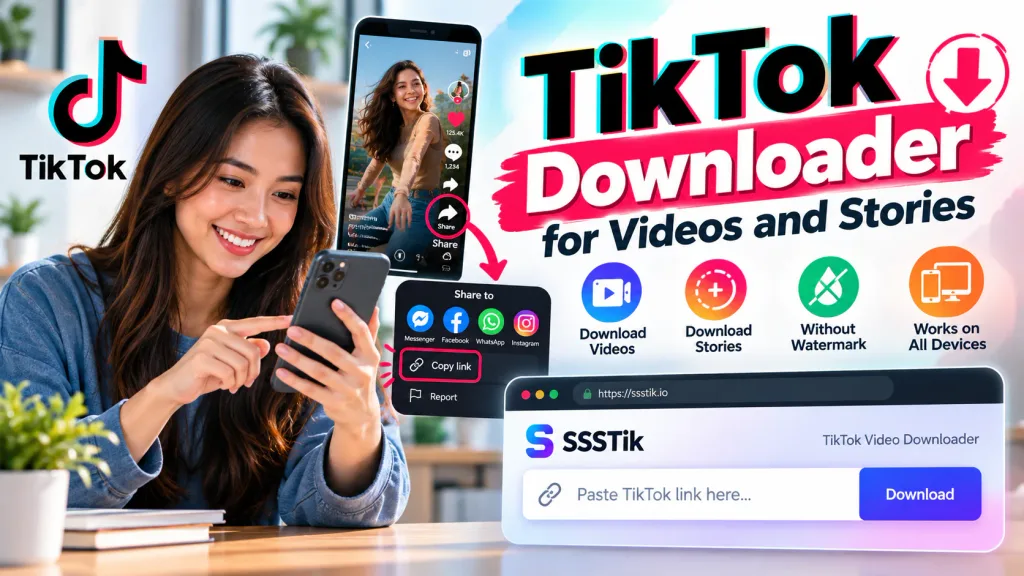
A recipe worth trying, a useful tutorial, or a clip you made yourself—sometimes you want to keep a TikTok video on your device. SSSTik lets you download publicly available videos through your browser. There’s no app to install and no account to create.
Start with the link to the post. The download options depend on what’s available from TikTok, including whether a version without the watermark can be retrieved.
How to save a video with SSSTik
Open the video you want to keep. In the TikTok app, tap the share button and select “Copy link.” If you’re browsing on a computer, you can copy the post’s address from the address bar.
- Visit the SSSTik tiktok download page.
- Paste the copied URL into the input field and press the download button.
- Once the results appear, choose an available download option.
Your browser handles the saved file. Depending on its settings, it may ask you to choose a folder or put the video straight into Downloads. Larger files and slower connections can take longer.
Saving a tutorial for later
Having a local copy is useful when you need to pause a cooking video with messy hands or replay a repair demonstration somewhere with poor reception. You can open the saved file without finding the post again.
Give the file a name you’ll recognize. “Kitchen shelf measurements” will be easier to find next month than a string of numbers. If you’re collecting several tutorials, keeping them in one folder can save some searching.
Can you download TikTok stories?
SSSTik also supports publicly viewable TikTok stories. Copy the story’s link, paste it into the downloader, and check the available results.
The story needs to be accessible when you try to save it. An expired story or one that has been removed can’t be recovered through its old link. Content restricted to a private audience may also be unavailable.
Videos without the TikTok watermark
The TikTok logo and username appear on some downloaded copies. When a version without those marks is available from TikTok, SSSTik can provide a download option for it.
This doesn’t involve cropping the picture or blurring part of the frame. Availability varies by post, so a link won’t always produce the same choices.
What determines the picture quality?
The source video sets the limit. An available high-resolution version may give you a clearer download, but a small or heavily compressed upload will retain those limitations.
Saving the file won’t restore details that are missing from the source. If several download options appear, choose the one that suits your device and storage space.
Finding the file on your device
If the download has finished but you don’t see the video, check your browser’s download list first. It can help you locate the saved file.
- Windows or Mac: look in Downloads, or in the folder you selected when saving.
- Android: check Downloads in your file manager. The video may also appear in your gallery.
- iPhone or iPad: look in the Files app’s Downloads folder. When available, use “Save Video” from the share menu to add it to Photos.
The folder location and menu names can vary with your browser and device settings.
If the link doesn’t work
First, open the original post on TikTok. If it’s gone or no longer publicly accessible, the downloader may be unable to retrieve it.
If the post still opens, copy its link again using the share menu. Paste only the URL, leaving out any caption or message included alongside it. Then try once more.
A deleted video, an expired story, or a change to the account’s privacy settings can explain why a previously working link stops producing a download.
Keeping a copy and sharing it again
You might want an offline copy for reference or a backup of your own upload. Republishing someone else’s work is a separate decision. Ask the creator before reusing their video, and keep their name and the original link with your saved copy so you can find them later.
Common questions
Do I have to sign in?
No registration is needed to use SSSTik. Paste a public post’s link into the browser tool to get started.
Can I use it on a phone?
Yes. You can open SSSTik in a browser on a phone, tablet, or computer.
Will it download a private video?
SSSTik is intended for publicly accessible content. A link doesn’t grant access to a private or restricted post.
Is SSSTik part of TikTok?
No. SSSTik is an independent tool and is not affiliated with TikTok.