
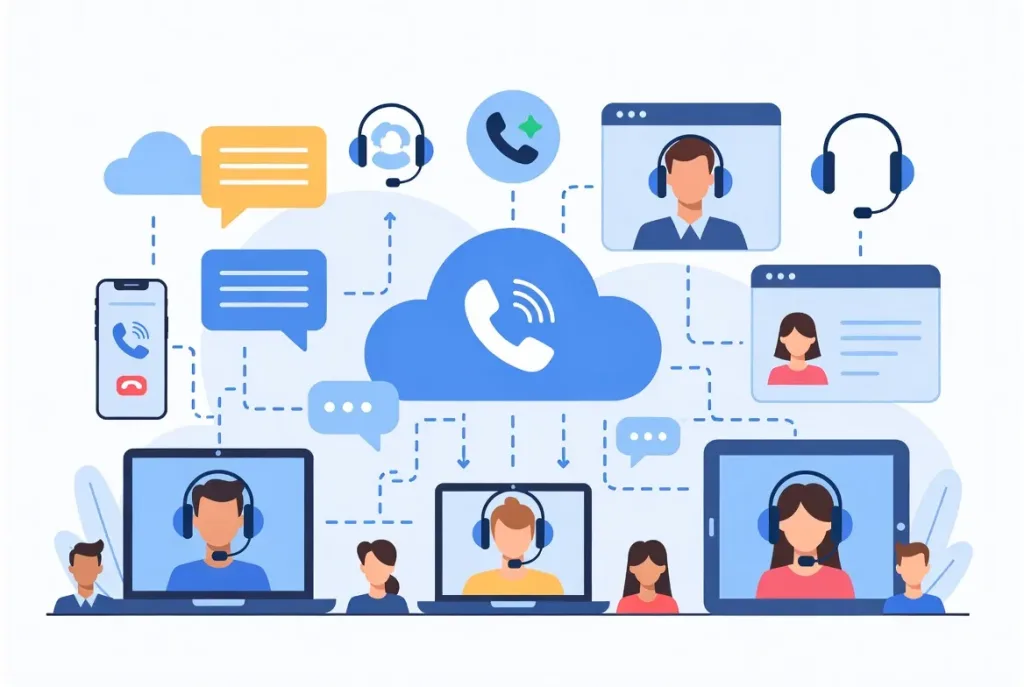
Remote work communication has transformed how teams interact with clients and among themselves. Support representatives currently handle calls from cities, countries, and time zones frequently without ever being in the same physical office. While this shift has opened new doors for flexibility and hiring, it has also placed communication under pressure.
Even a small gap in communication between customer support and telecom operations may lead to long waiting, repeated calls, or angry customers. Many teams learned their old phone systems were never built for this kind of working model; they were created for office desks and fixed networks, not for globally spread-out teams.
Cloud-based call center software changes that reality; it moves calling into the cloud to give teams a dependable way to stay connected wherever they work. Calls are easier to manage, conversations easier to track, and teamwork easier to maintain.
In this article, we look at how cloud calling software strengthens remote communication, why such solutions have become important in a modern call center, and how to select one that fits the needs of your business without creating new complexity.
The Communication Challenges Remote Teams Face
Remote teams face challenges that may not always stand out at first. Over time, these gaps affect performance, morale, and customer experience.
Fragmented tools and inconsistent communication channels
Agents often switch between multiple apps just to handle one conversation. Calls, messages, and customer details live in different places, making it easy for information to slip through and for customers to repeat themselves.
Time zone differences and availability issues
With teams spread across regions, replies do not always come quickly. Work passes from one shift to the next, and customers feel the delay even when support teams are active around the clock.
Lack of visibility into team activity
What used to be clear in an office environment is more difficult to observe remotely. Supervisors find it challenging to monitor workloads live. Employees might be unsure about when or where to seek assistance.
Difficulty maintaining real-time collaboration
Getting support during a call should be simple. Instead, agents move between tools to reach colleagues while customers wait longer than they should.
Dependence on unreliable personal devices or networks
Personal phones and home internet now carry business calls. When they fail, call quality drops, and service becomes inconsistent.
What Cloud Calling Software Brings to Remote Teams
Cloud calling software moves business communication into one secure cloud environment where calls, data, and workflows connect in real time.
Unified communication hub
Cloud calling replaces scattered tools with one connected workspace where communication stays organized and accessible.
- All calls, voicemails, and call logs in a single system
- Faster access to customer conversations
- Less switching between different apps
Reliable, high-quality calling from anywhere
Instead of relying on personal networks or office-based hardware, calls flow through stable cloud infrastructure.
- Consistent voice quality and ultra-low latency
- Fewer interruptions during peak hours
- Calls continue despite device or location changes
Improved collaboration through real-time features
Agents no longer work alone when issues get complex. Support becomes part of the call, not an afterthought.
- Supervisors can join live calls and coach agents secretly
- Team members assist without redialing
- Faster problem resolution with tailored recommendations
Enhanced accountability and transparency
Every call leaves a record, which helps teams improve instead of guessing.
- Real-time activity tracking and log monitoring
- Easy access to past conversations and customer preferences
- Clear performance insights, actionable metrics, and KPIs
Seamless integrations with digital workflows
Calling fits naturally into daily systems that teams already use.
- Customer records appear during calls
- Automatically update the flow into the helpdesk tools
- Conversations remain consistent across platforms
Scalability and flexibility
Teams grow without tearing down systems or starting again.
- Add or remove users and teams within minutes
- Expand to new regions without setup delays
- Adjust call capacity and routing instantly
Business Benefits of Using Cloud Calling Software
Using cloud calling software changes more than how teams make calls. It reduces overhead, supports growth, and helps businesses deliver more reliable customer service without adding complexity.
Operational expenses: Cloud calling eliminates the requirement for expensive equipment and continuous upkeep.
No physical system, Reduced support, and Predictable expenses
Enhanced. Scalability: Teams can be modified without reconstructing the infrastructure or causing interruptions.
Add or remove users, Expand locations, and Scale capacity
Improved communication quality and reliability: Calls are clear and stable even during periods of heavy traffic.
Reduced call drops, Consistent audio quality, and Built-in backup systems
Improved Efficiency: Agents spend increased time supporting customers and reduced time handling tools.
Faster call routing, Easier collaboration, and Shorter resolution times
Customer experience: Every engagement appears more expert and well-informed.
Quicker response times, Fewer repeated calls, and Clearer conversations
How to Choose the Right Cloud Calling Software
With numerous cloud calling software available in the market, choosing the right one that aligns with your business is tedious. Below are aspects to evaluate, apart from features:
- Easy to use: A good system should feel simple from the first login. Agents should be able to use it with little training and without navigating through complicated menus.
- Integration with your tools: Your calling system should connect easily with tools such as CRM and helpdesk software. When systems work together, agents avoid switching screens and serve customers faster.
- Security: Customer interactions contain information. Choose a platform that secures calls using encryption, robust access controls, and adherence to industry regulations.
- Reliability: Select a system that keeps your calls running, even during busy hours. Ensure that you go for those platforms with high uptimes, minimal latency, and a great track record of stability.
- Scalability: As your business expands, your telephone system should expand as well. The appropriate software enables you to increase users’ modification capacity and broaden locations smoothly without interruptions.
- Support: Choose a provider who offers help and understands your business needs instead of just depending on automated replies.
Conclusion
In the remote and hybrid setting, how the team interacts and communicates internally or with clients is evolving. Engaging from multiple locations to obtain real-time analytics and guide each task, and exchange customized information to meet particular requirements and objectives. However, conventional phone systems have restrictions in this work setting, and cloud calling software bridges the gap. It provides a platform to talk and share information from anywhere.
By integrating calls, messages, and client data into a protected cloud system, businesses gain dependability, expandability, and meaningful analytics. Teams function smoothly, and supervisors stay informed. Clients receive faster, more dependable support. While choosing the system, focus on reliability, ease of use, integrations, security, scalability, and support to run operations smoothly, grow seamlessly, and maintain a high standard of customer satisfaction.