
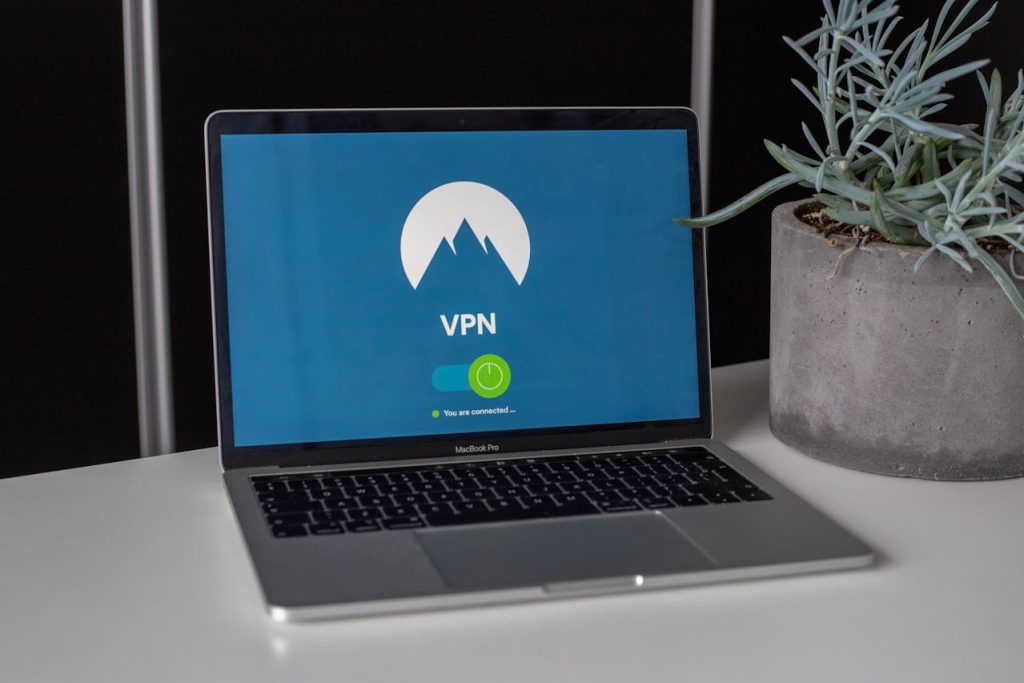
Despite growing cyberattacks and tech vulnerabilities, security is still way behind on many business owners’ lists. For most people, security takes a back seat until something unfortunate happens. You’re busy running your business, serving customers, and keeping the lights on. Until everything works fine, security feels like an additional expense. And at those points, it feels better to invest your capital in other aspects of your business that’ll contribute to better revenue. But the truth is, basic locks and alarms just don’t cut it anymore. Evolving threats require more practical solutions that support your business flow. Let’s investigate the top 5 features every business needs for better security.
Centralized Access Control
Managing different keys for different doors gets messy fast. You’ve probably had that moment when an employee leaves and you realize you have no idea who still has access to what. Maybe you think they’ve revoked their access to all data, but chances are an ex-employee may still leave a backdoor into your systems. Centralized access control fixes this headache. One system that manages everything. When someone leaves, you delete their profile and they’re locked out everywhere. No hunting for keys, no guessing. You see who’s in your building at 2 AM. You get alerts when someone tries to access the server room after hours. The right commercial security systems make this happen without requiring a tech degree to operate.
Provide Remote Workers with Protective Software
Ever since the COVID-19, many businesses have adopted remote or hybrid work models. If you operate one of such businesses, it’s crucial that you understand that it comes with some risks. The biggest risk is staying oblivious that your team isn’t just working from a single place. It’s one thing to maintain security in a secluded area. But when you go remote, it gives your employees the free hand to work from anywhere they want. They could be logging in from public places like coffee shops, hotel lobbies, or a million other places in the world. What makes it concerning is that they’re using the same laptop for work and other tasks. And assuming that they may not be as cyber-aware as a pro, they must have definitely once clicked on something suspicious that looked like an update. Protective software that actually works means it runs quietly in the background. No complicated steps your team will skip. It encrypts everything automatically, so coffee shop Wi-Fi can’t steal customer data. Blocks malicious sites without slowing them down. Doesn’t require remembering complex security protocols. It just works while they do their jobs.
Automated Alerts
Most security systems create noise but solve nothing. Cameras are recording 24/7, which nobody ever checks. Alarms that go off but you’re not there to hear them. What good is security if it doesn’t tell you when something actually matters? Real automated alerts mean your phone buzzes when something’s wrong, not for every little thing, but for what actually needs attention. Someone trying to access the safe after hours? You get a text. Multiple failed login attempts? You get notified before damage happens. The best systems learn what’s normal for your business and only tell you when something’s off. Not “motion detected in the parking lot at 3 AM” (probably just a raccoon), but “someone just tried to access financial records they shouldn’t.” It’s like having a security guard who never sleeps but never bothers you with trivial stuff.
Use Multifactor Authentication
On a scale of 1-10, how sure are you that someone on your team doesn’t use “password123” or their dog’s name for everything? Even if you could say that you’re sure, passwords are still a vulnerability that’ll never be 100% safe. That’s because your employees might write passwords on sticky notes and reuse them across accounts. If your employees aren’t tech-savvy, the passwords get compromised fairly easy. One weak password can be the doorway to your entire business. Multifactor authentication adds that second step that makes unauthorized access much harder. And modern systems make it easy—not those clunky tokens from 10 years ago. Your phone verifies logins automatically. No codes to remember. No extra steps that make people bypass security. It stops most automated attacks without requiring your employees to take any additional steps. The best part? It often makes logging in more convenient than passwords alone. It’s one of those rare security measures that actually improves the user experience while keeping you safe.
Regular Backups
You think you have backups because you occasionally copy files to that external drive sitting next to your main computer. When ransomware hits (and it will), that drive gets encrypted too. Or it fails because you bought the cheapest one available. Real backups happen automatically, multiple times a day, to multiple locations. One copy goes to the cloud, where it’s safe from physical damage. Another copy goes somewhere you don’t even think about. When disaster hits, you’re back up in 20 minutes, not after weeks of data recovery attempts. The best backup systems require almost no management once set up. They just work in the background while you run your business. No more delaying the data backups for the coming week. They happen whether you remember or not. It’s not just about protecting yesterday’s work – it’s about making sure you have all the data and that you’re prepared to face any contingency.
Final Words
Many business owners avoid improving their security because they believe it comes at a high cost. Let’s set the record straight: You don’t need expensive, flashy gear – just practical solutions that fit how your business actually works. Start with one thing this week. Not next month. Not “when things slow down.” This week. Maybe multifactor authentication for your financial systems – it takes 20 minutes to set up and stops most attacks cold.