


If you’re a content creator, you know the pressure of keeping things fresh, visually appealing, and engaging—especially in a world where attention spans are measured in seconds. Whether you’re editing a YouTube video, building out a landing page, or just spicing up your Instagram Reels, good visuals make all the difference.
But here’s the thing: Not everyone has the time, gear, or budget to film cinematic B-roll or craft custom motion graphics from scratch. That’s where free stock videos and motion elements come in. And luckily, there are some seriously good resources out there—no strings attached.
Let’s walk through some of the best places to find high-quality, totally free video assets that’ll help you create scroll-stopping content—without blowing your budget or wasting hours digging.
Why Use Stock Video and Motion Graphics?
Using stock doesn’t mean cutting corners—it means being smart with your time. The right video clip or animation can:
- Set the tone or mood instantly
- Fill in gaps in your storytelling
- Make your content feel more polished and professional
- Help with pacing and viewer retention
And when it’s free to use (even commercially), it opens up a world of possibilities.
Top Free Resources for Stock Video Clips & Motion Elements
1. Pikwizard
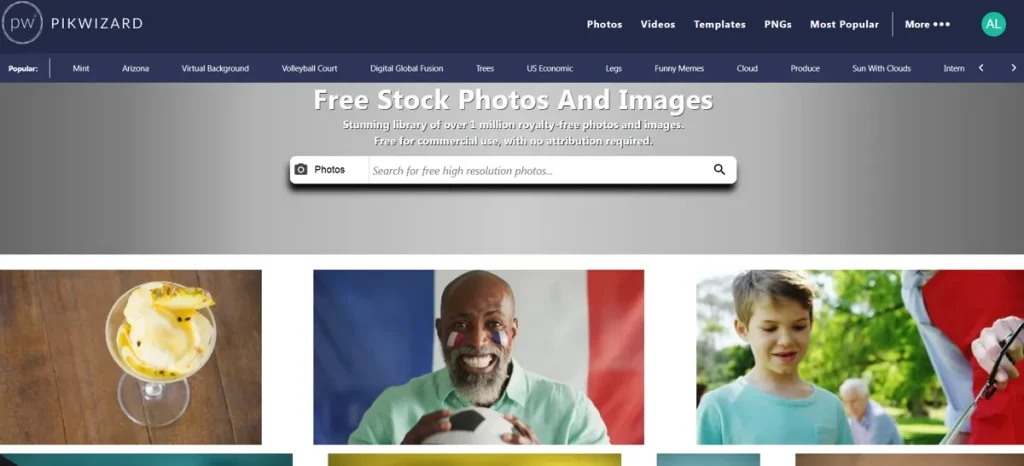
If you’re looking for a solid all-in-one solution, Pikwizard is worth a look. Alongside a wide range of free transparent PNGs and photos, they offer a growing library of video clips that are ideal for social content, product ads, or landing pages. Bonus: their built-in design tool makes it easy to customize assets on the fly.
Best for:
- Creating visual content quickly
- Combining photos, videos, and overlays
- Polished social ads without much editing
2. Mixkit
Mixkit is a go-to for creators who want stylish, well-shot footage that doesn’t scream “stock.” Their collection includes HD and 4K video clips, motion graphics, music, and even After Effects templates.
Best for:
- Video intros
- Slideshows or presentations
- Social media transitions
3. Videezy
With a mix of free and premium content, Videezy is great for finding motion graphics and animated elements, especially if you want something that adds energy to your content. There are also drone shots, time-lapses, and abstract backgrounds to choose from.
Best for:
- Motion backgrounds
- VFX overlays
- Stylish intros
Heads up: Some clips require attribution—just check the license info before downloading.
4. Coverr
Clean and modern, Coverr’s collection is perfect for creators who want high-quality video that feels a little more curated. Everything is free to use commercially, and the site’s design makes browsing feel easy and intuitive.
Best for:
- Hero sections for websites
- Product mockups or promos
- Business or tech-related projects
5. Pixabay
A longtime favorite for creators, Pixabay has expanded far beyond static images. Their free video section includes a wide variety of content types—including slow-mo, timelapse, and animated clips. There’s also a handy search filter to help you narrow things down fast.
Best for:
- Adding subtle movement to your web designs
- Background loops
- Visual storytelling
6. Pexels
Pexels isn’t just known for its gorgeous photography. Their video library is filled with cinematic, high-quality clips ranging from lifestyle to tech to nature. The best part? Everything’s free and ready for commercial use with no attribution required.
Best for:
- Background B-roll
- Intro/outro clips
- Mood-setting footage
Motion Graphics vs. Stock Video: What’s the Difference?
It’s easy to confuse motion graphics with stock video, so here’s a quick breakdown:
- Stock video: Real-life clips, like someone walking through a forest or typing on a laptop.
- Motion graphics: Animations, transitions, lower-thirds, visual effects—think of them as your video’s finishing touches.
Both serve different purposes, and combining them gives your content that extra bit of professional shine.
How to Use These Clips Without Looking “Stocky”
Using free assets doesn’t mean your content has to feel generic. Here are a few tips to make your edits feel original:
✅ Trim & repurpose — Cut longer clips into shorter segments or speed them up.
✅ Overlay text or graphics — Add context with headlines or quotes.
✅ Match your brand — Stick to a color palette and style that reflects your vibe.
✅ Add music or sound design — A little background audio can totally change the mood of a video.
Free stock video and motion elements are a game-changer for creators working solo or on a budget. You can create dynamic, high-quality content without touching a camera—and still keep things feeling unique and true to your brand.
Whether you’re piecing together a new YouTube intro, building social ads for a launch, or just freshening up your visual content, the tools above can help you do more in less time.